
Custom Game Engine Devlog Week 6
Estimated Time Spent: 8 hours
Accomplishments:
Replaced hard-coded mesh initialization data with an extensible file-based approach.
Created a custom lua file format for mesh assets.
Wrote a C++ script to parse lua tables and extract relevant data
Designed easy-to-use interfaces for creating and using mesh assets.
I knew that in order to store my assets, I would want to use a lightweight scripting langauge that could be parsed by C++. I chose Lua for two primary reasons:
Lua is very human-readable, which matters alot for creating assets! Users should be able to open a mesh asset file and easily edit its content, such as altering a material parameter or fixing a winding order bug.
Lua is extremely flexible, allowing custom formats to be easily used and parsed.
I’ve never used Lua before, and it seemed like a fun challenge!
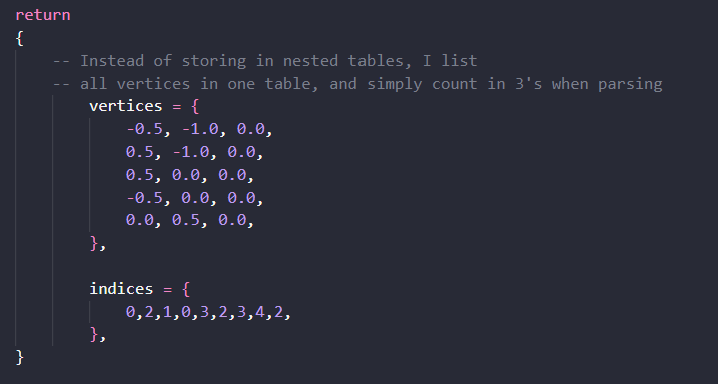
When creating my mesh file format, I kept my focus on ease of creation, reading, and parsing, resulting in the format displayed in the below image. Readers may note that I did not store my vertices in nested tables, even though they’re formatted in groups of 3 in-engine. This is the result of the affordances offered by human-readable assets! As the designer of both the mesh format and the script that parses the format, I am able to take shortcuts for data storage, such as listing my vertices in long arrays that can be ordered into 3-element vertices at parse-time.
Designing Mesh Loading Systems:
Creating a mesh instance is now a quite complex process, involving multiple classes and static functions that result in a pointer to a file-initialized, reference-counted representation of a mesh asset. I made several test designs for this mesh loading system before landing on my current implementation, with my central focuses being a clean user interface and thorough safeguards for debugging. In a previous design, I created an instanced class that handled mesh data loading, returning an ‘sMeshInitData’ struct on completion. I scrapped this approach for the following reasons:
Extracting data from lua files can be confusing and error-prone, and I wanted my parsing functions to return a ‘cResult’ object, indicating whether the parsing attempt was successful. If my class needed to return an sMeshInitData struct, I wouldn’t be able to indicate parsing success.
Creating an extra instance of a seperate class on cMeshData init seemed redundant, seeing as my parsing functions are fully capable of operating statically without member data.
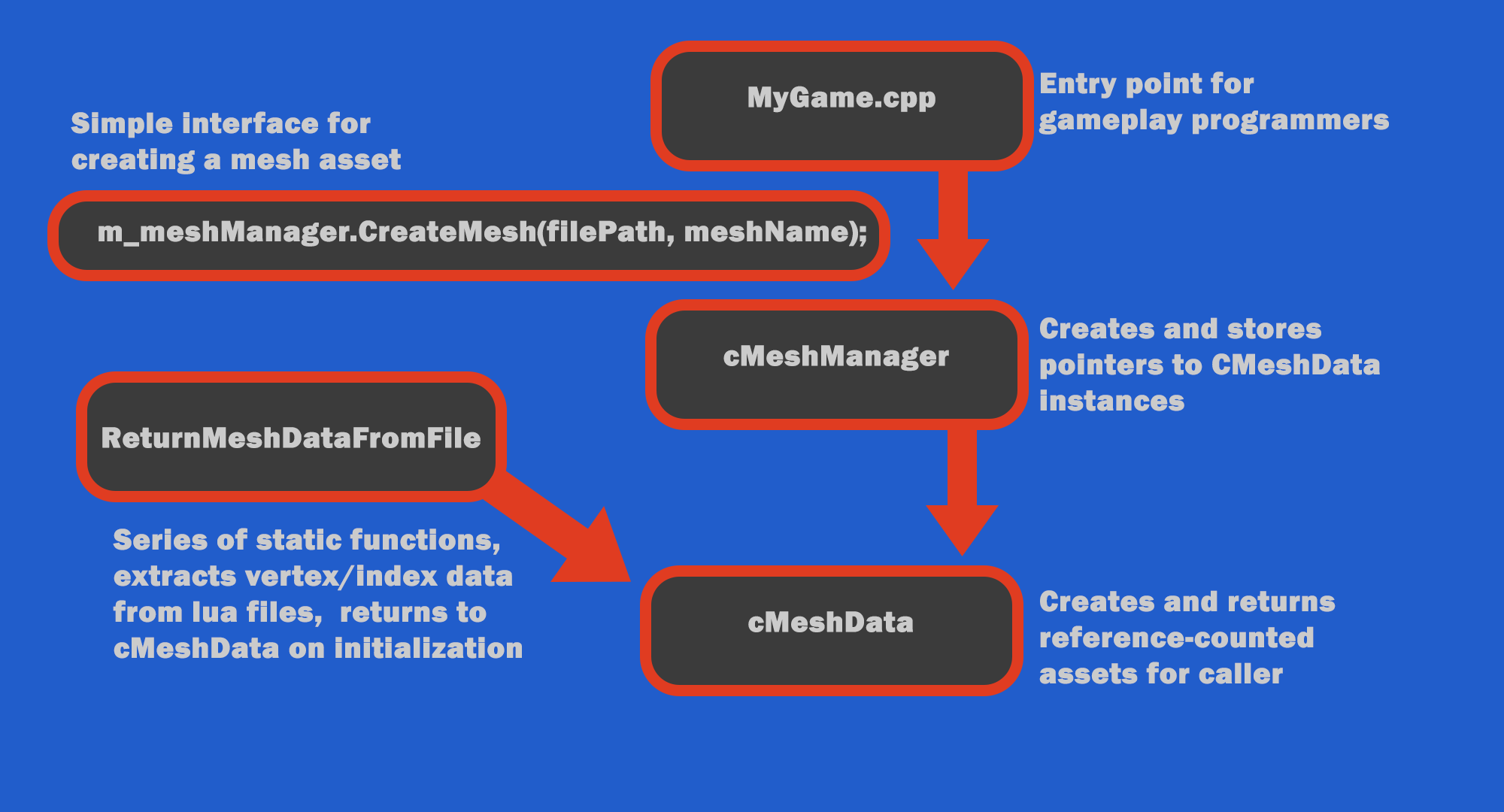
My final approach utilizes a series of static parsing functions that take two arguments: a file path detailing the location of my mesh asset, and a pointer to dynamically allocated sMeshInitData struct. This allows the functions to return cResults while filling the struct pointer with extracted data.
The below graph demonstrates the updated flow of data for creating a mesh instance in myGame.cpp:
Parsing Lua Files:
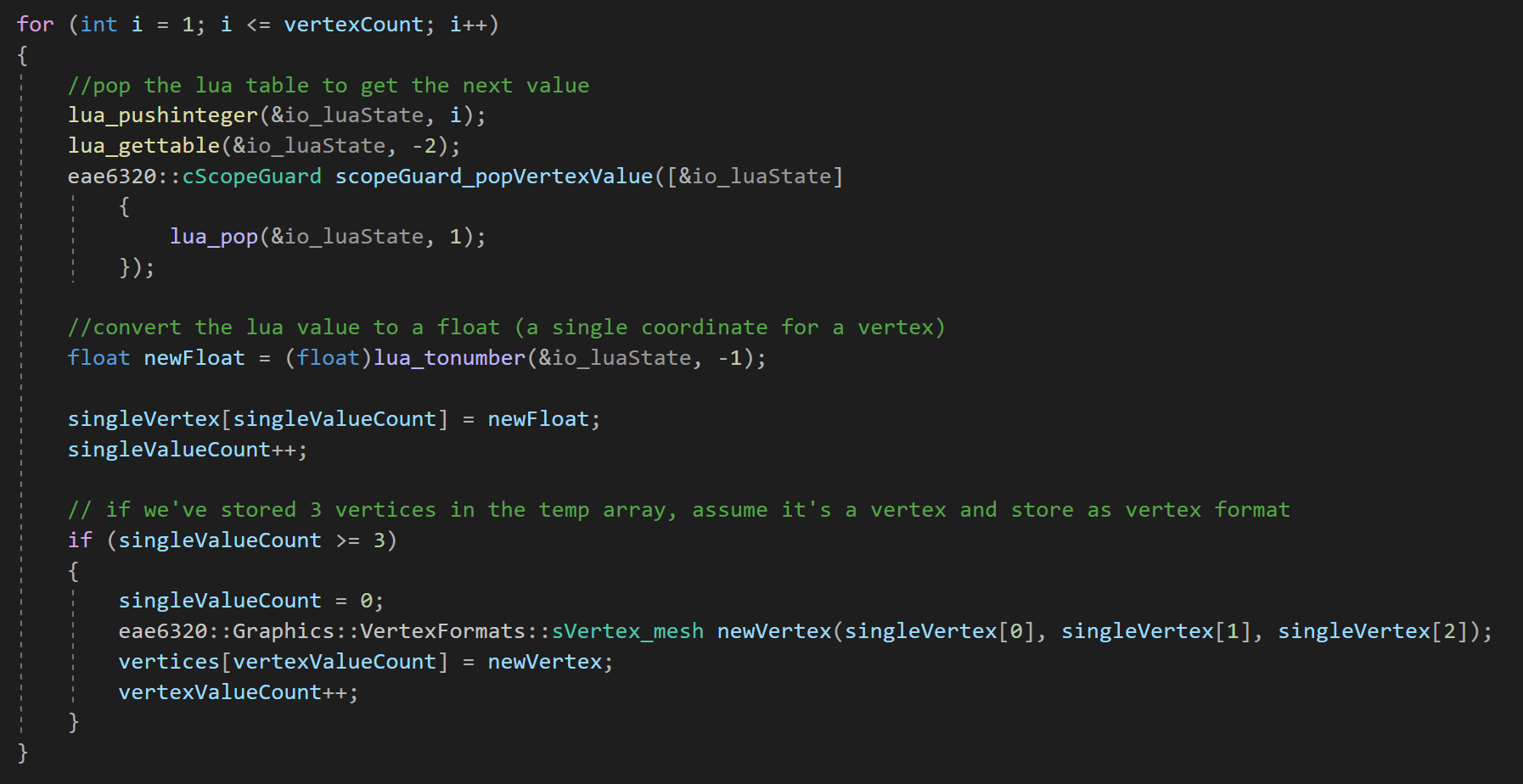
Parsing lua scripts is a tricky endeavor, requiring the user to ‘pop’ a lua state in order to send tables to an accessible stack. From the stack, these tables can be iterated through as arrays or dictionaries, converting amorphous table values into expected types using functions like ‘lua_tonumber(&io_luaState, stackIndex). This process hinges on an understanding of the format being parsed (hence the importance of human-readable data!).
In the below image, I extract vertex data from a lua table by popping each table value, converting it to a float, and storing that float in a temporary array with space for 3 values. Once the array is full, it gets added to a second, dyanmically created array as an ‘sVertex_mesh’ object, - the expected data type for my sMeshInitData struct! For this approach, I modified an existing lua parsing script provided to me by Tony Kanell.
Week Overview:
Eagle-eyed readers may notice that the above video looks suspicioulsy like last week’s demo - that’s because it is! This week, rather than adding new playable features, I began buidling out my data pipeline for future development. I started by removing hard-coded mesh initialization values (ugly arrays of vertices and indices) and replacing them with readable .lua files that can be automatically parsed by the engine. This change makes my interface for loading meshes much cleaner, allowing for an easier user experience and opening the way for further automation in coming weeks - like a custom importer for Maya meshes!
The below images display the old, complex process for creating mesh assets in myGame.cpp, and the new, streamlined process after moving the brunt of mesh loading to parsable files.
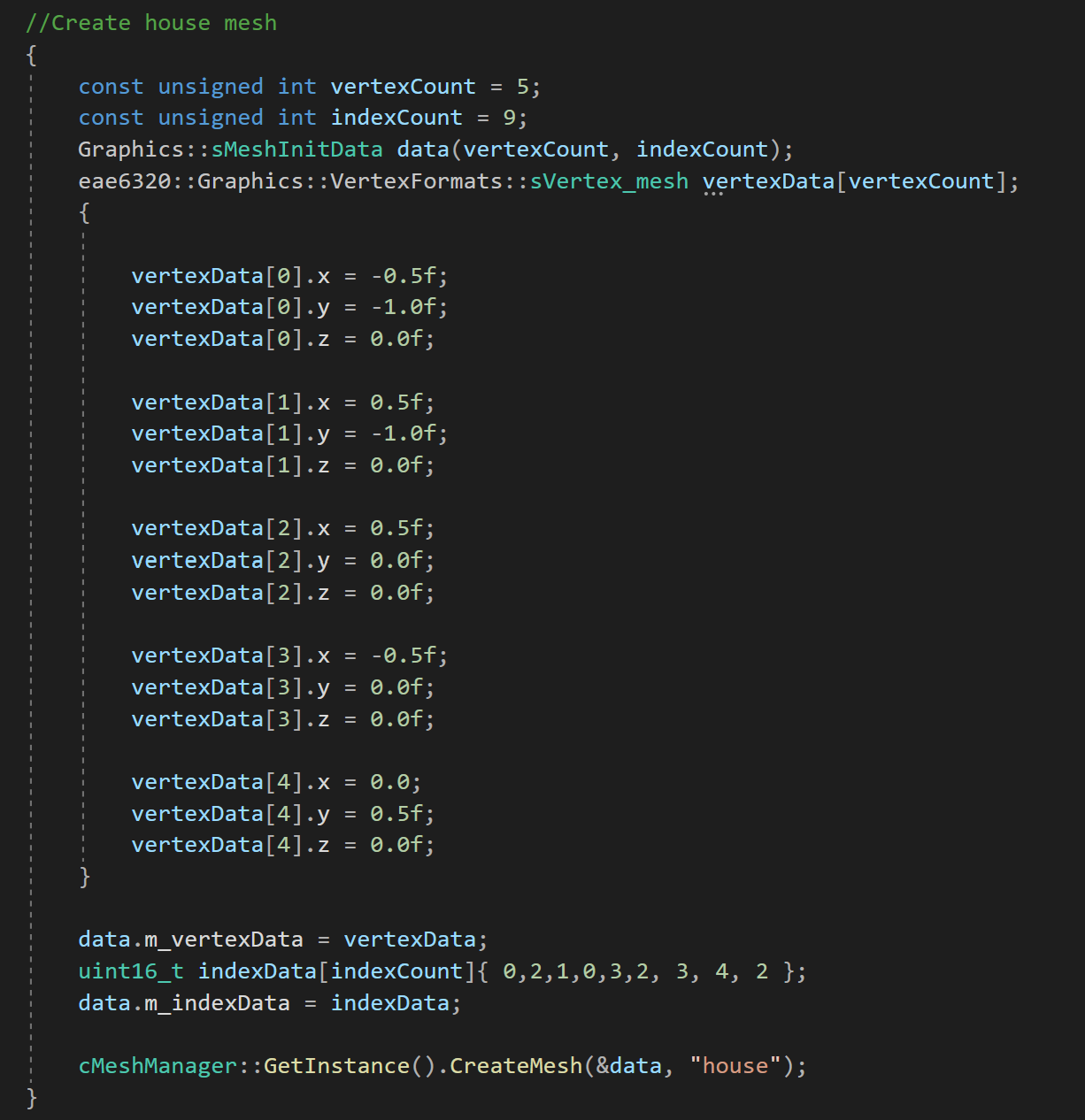
Old mesh data initialization in myGame.cp

New mesh data initialization in myGame.cp