Custom Game Engine Devlog Week 5
Estimated Time Spent: 10 hours
Accomplishments:
Added game object representations and managers.
Created an interface for submitting game objects to be drawn with unique effects and mesh pairs.
Added rigidbody and transform support to rendered objects.
Created a camera class with projected perpsective transformations.
Altered all shader code to be platform-independent.
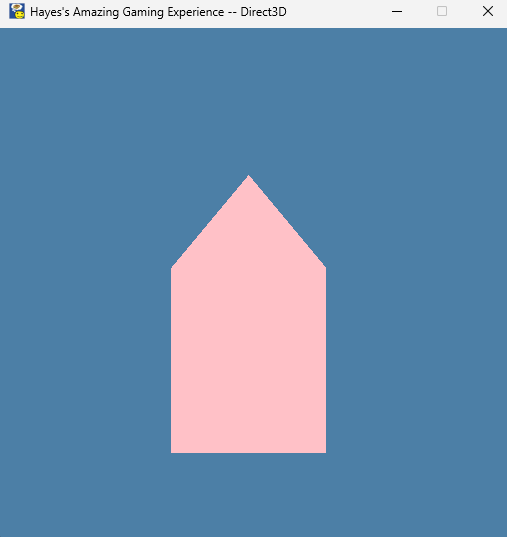
It may not look like it, but this house can move now…
Creating Game Objects:
What is a game object? This can be a challenging thing to define, because it’s ultimately quite arbitrary - a game object is an abstracted representation of whatever collection of data we decide to group. Less useful for the efficiency of the engine than the coceptualization of the engine’s users, I chose to define my game object with several things:
A pointer to a mesh for rendering
A pointer to an effect for rendering
A rigidbody for tracking position and velocity.
An identifying name for this object.
A bool determining whether this object should be drawn.
A bool determning whether this object should have its physics calculated.
As seen below, mesh and effect pointers are wrapped in custom structs call sMeshID and sEffect ID. I did this so that each thing in the engine - including game objects, meshes, and effects - have accompanying string names. I will elaborate on this choice a bit later.
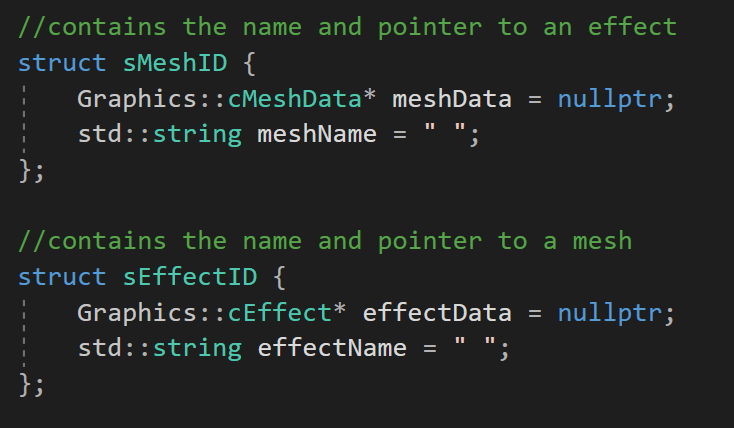
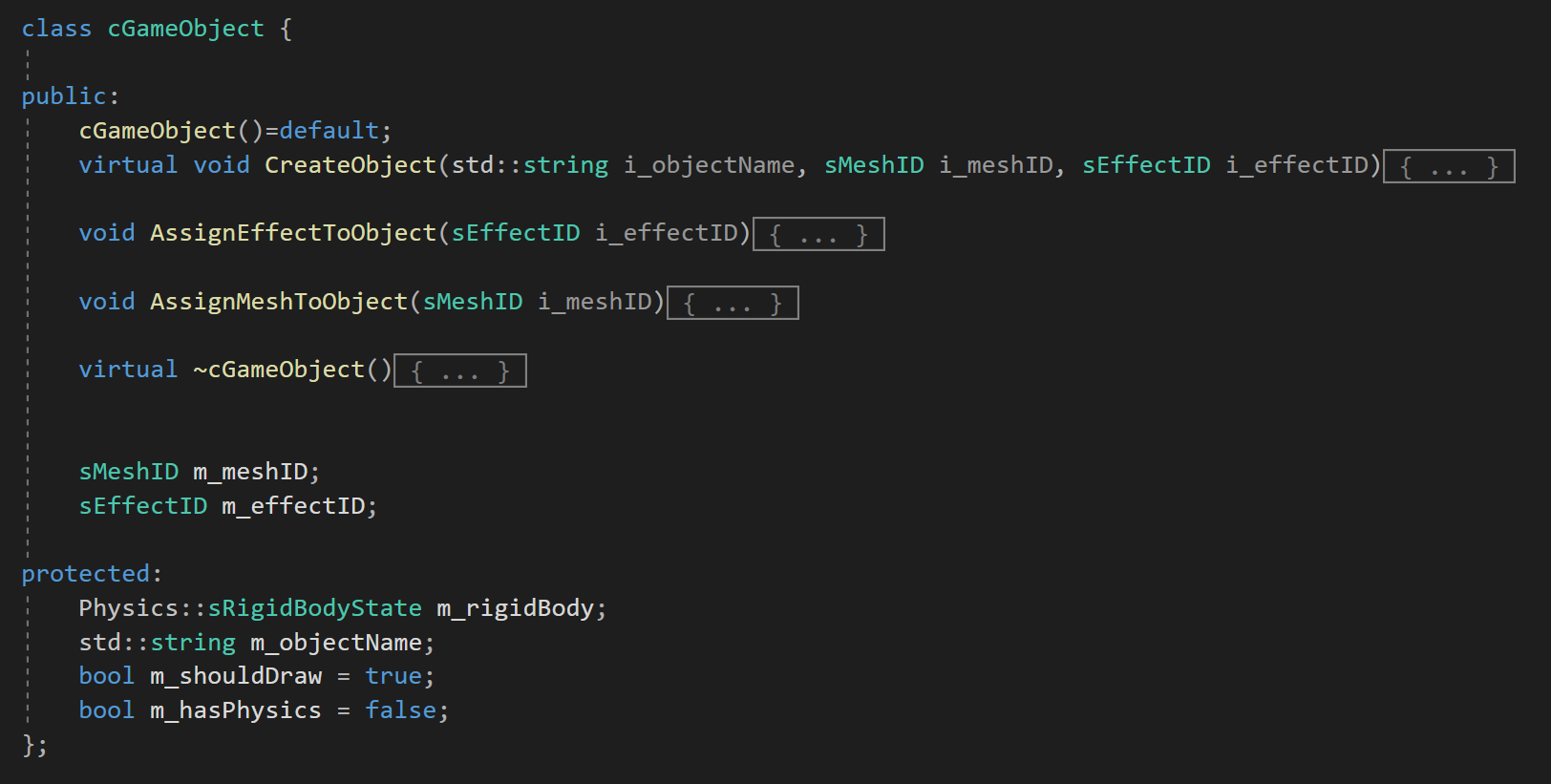
The cGameObject declaration, with the accompany declaration of mesh/effect structs.
Managing Game Objects:
If I want my engine to scale for proper game development, in which many different objects can exist in different states at the same time, I can’t have them existing without identification or collection. Thus, I created three manager classes:
An object manager.
A mesh manager.
An effect manager.
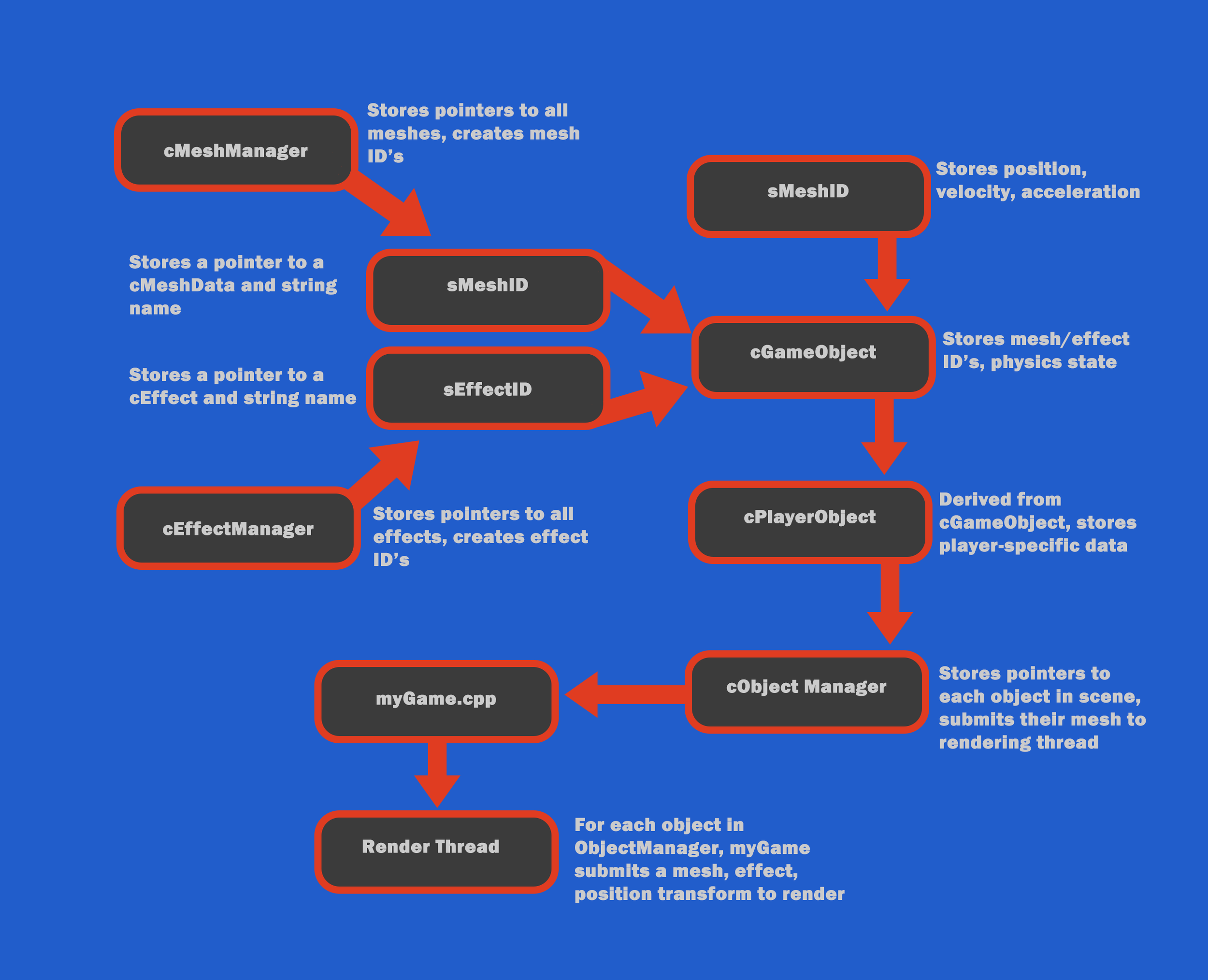
Each manager stores a pointer to every object/mesh/effect currently in the game using a vector. In addition, these classes also store an unordered map with string keys and int values, which can be used to gain access to an element, given you have that element’s name. This approach means that meshes and effects exist independently of an object, and can be freely swapped out as the user pleases. For example, a game object might start life with a square mesh, but can swap it to a house-shaped mesh by obtaining a pointer to the new mesh from the mesh manager.
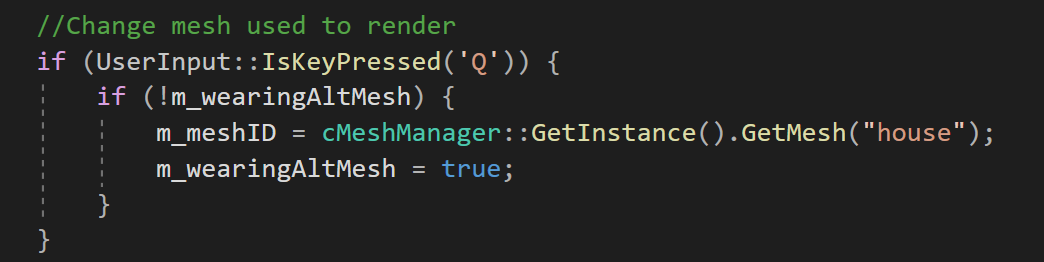
Mesh and Effect managers use the singleton pattern, allowing objects to easily swap ID’s from anywhere.
In addition to storing elements, the mesh and effect managers are also responsible for creating their respective elements. This makes for clean and easy-to-use interfaces, in which a gameplay programmer can create and store a reference-counted effect in a single line. While the object manager can do the same, it also supports the storage of objects that it did not create itself. This is because many unique objects (like the player!), use inheritance to gain access to additional features, and cannot be easily created by the manager.
One challenging decision I made was the implementation of ID’s for meshes and effects, rather than storing just the pointers. While their inclusion makes my code a bit less elegant at the moment, increasing storage needs, I felt that there are many reasons a user may want to know the current mesh or effect being used by an object. By forcing objects to store names to themselves, as well as their meshes and effects, a user can easily determine any information about an object’s state from its member variables.
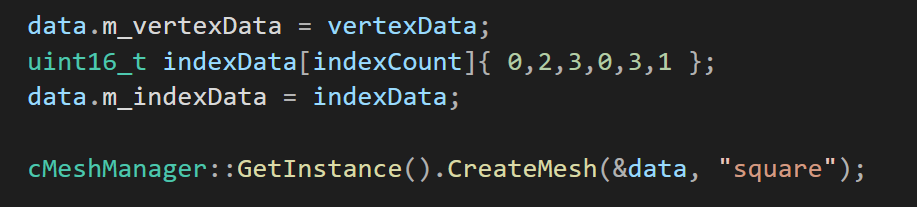
Creating and storing an effect using one line of code. The string provided determines this mesh’s stored name.
User Considerations:
While it can be temping to try and create the most performant or ‘perfect’ system, it’s important to keep the end user in mind. Much of my time this week was spent not on additional features for engine, but making the existing features more intuitive and understandable for other programmers. The below image on the right displays what users originally had to do in order to create and store a player character. The image of the left does not add and functionality to this process, but allows it to be completed in far fewer lines of code. I achieved this through several changes to my system:
Adding complex constructors to ID structs for single-line creation and initialization.
Allowing player objects to initialize at the time of creation.
Forcing managers to return ID’s instead of pointers.
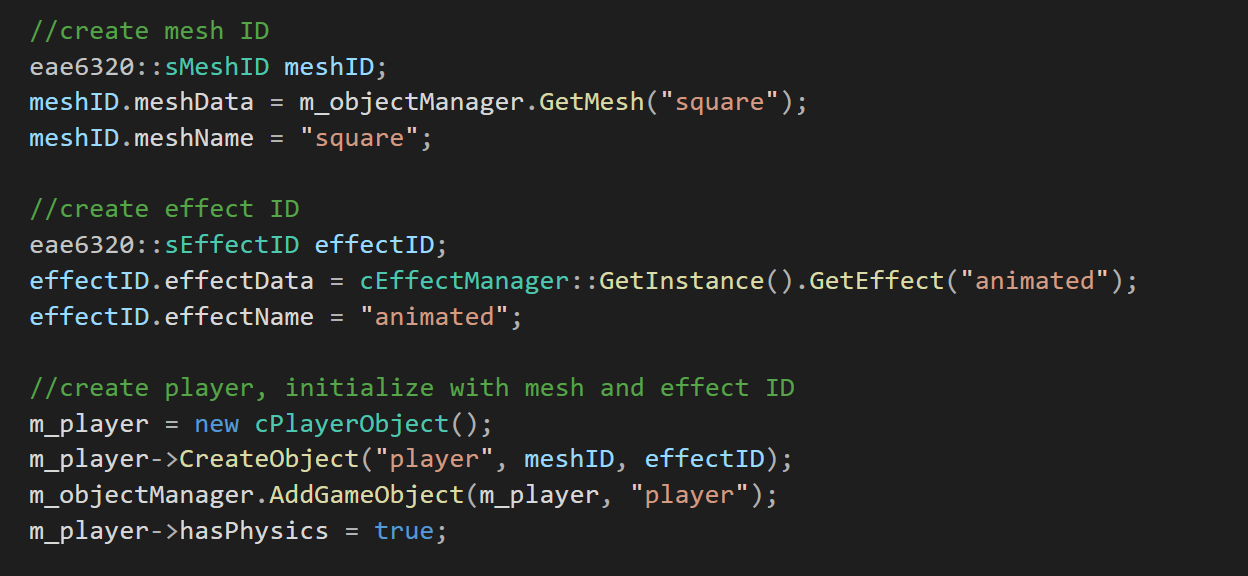
Old, disguting player creation.
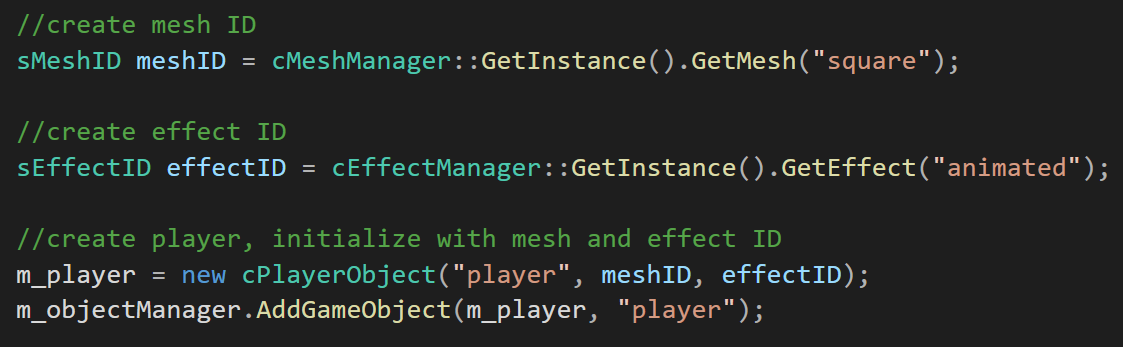
New and improved player creation.
Manager System Overview:
The following diagram displays the relationship between each manager, and how users can create and store objects, meshes, and effects.
Making Shaders Platform-Independent:
As of last week, adding new effects to my game was somewhat intensive work, as each shader needed to be fully defined twice: once for D3D, and another time for openGL. Wanting to save myself the effort in creating future shaders, I decided to use my shaders.inc file to define a series of macros, which, when used for each shader, allowed me to create a pseudo-multi-platform shading language. Macros work as clever find-and-replace operations, allowing the same user-written code to compile into entirely differnet functions, depending on the environment.
Once again, this is work that seems slighlty inefficient/unimportant now, but will pay dividends as I expand my game’s content in future weeks. The following images display a glimpse of my shaders.inc macros, and a resulting function that builds correctly in both D3D and OpenGL, without need for #if defined statements.
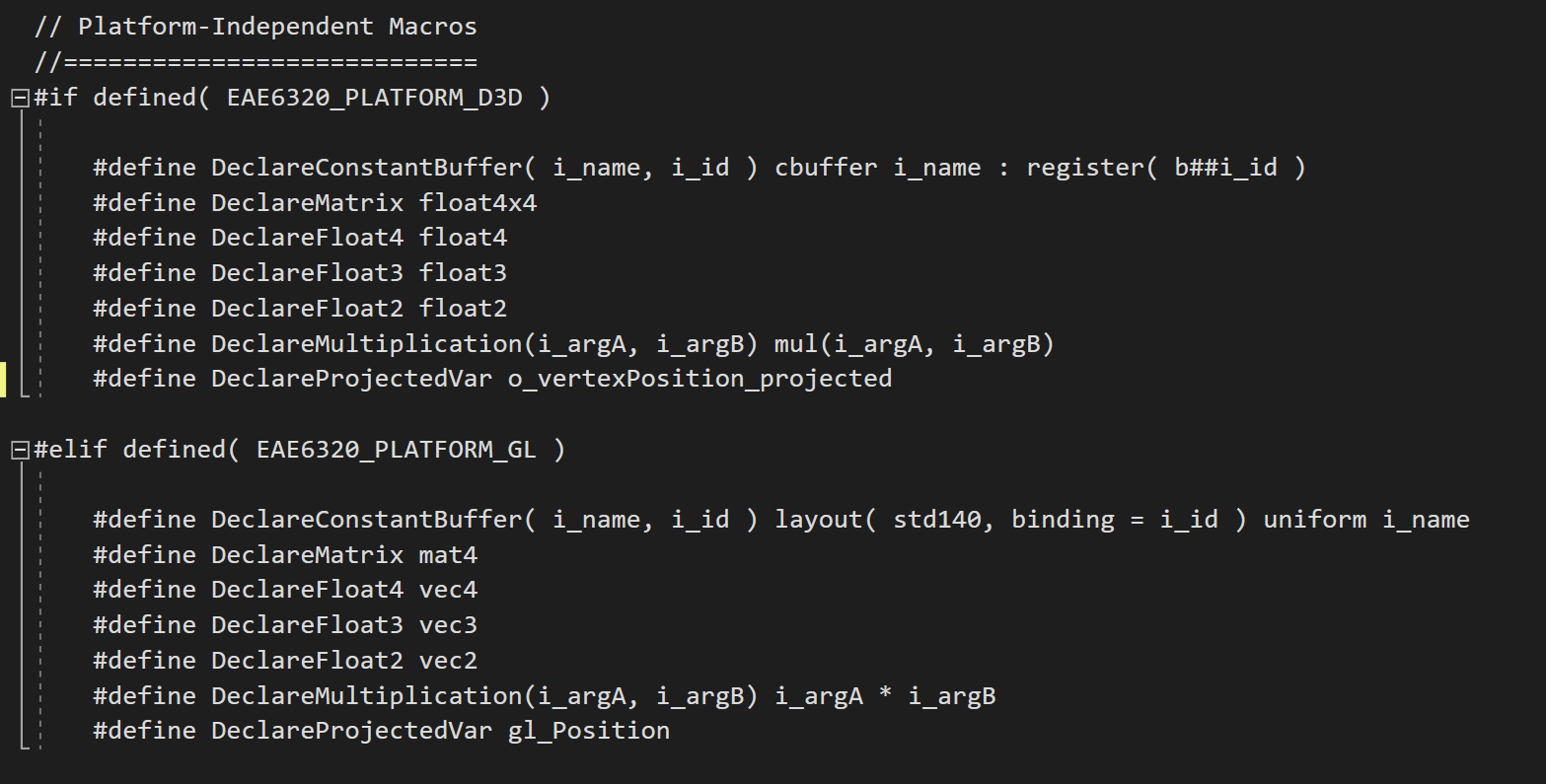
Creating my multi-platform shading language through macros.
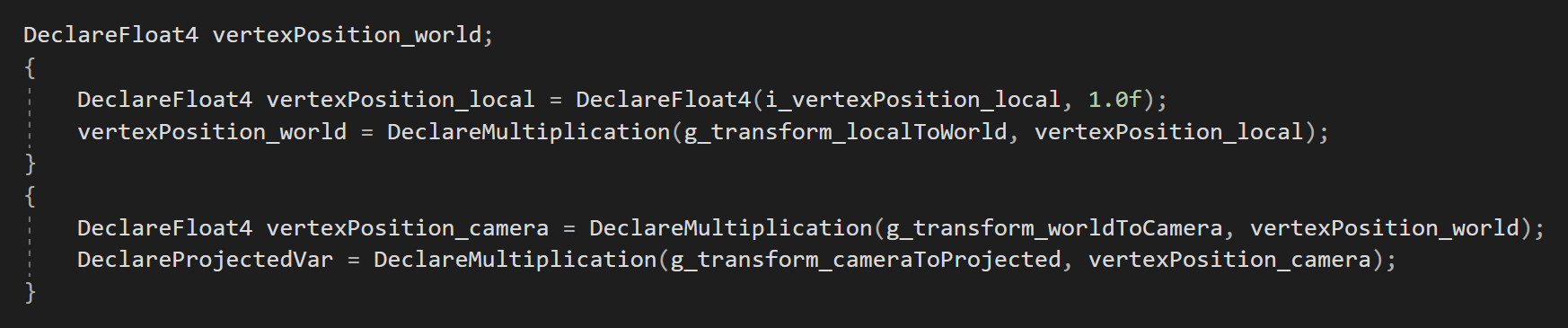
A newly platform-independent vertex shader function.
Week Overview:
This was a big week! I decided it was finally time to get some moving objects into my custom engine, and spent most of my time creating representations, abstractions, and interfaces for game objects that can be moved and rendered to the screen. In addition, I added a movable camera with lens data, and even made my shader code platform-independent with the use of #define macros. The central themes/challenges of this week are listed below:
Planning for the future with decisions that are slightly less efficient now but will make sense in upcoming weeks.
Emphasizing an end user for all designed systems (that user being a gameplay programmer).
Minimizing the amount of data that must be passed between managers.