
Custom Game Engine Devlog Week 2
Estimated Time Spent: 6 hours
Accomplishments:
Abstracted mesh and shader code behind platform-agnostic interfaces
Refined and expanded geometry data code
Utilized Render Doc and Visual Studio Graphics Debugger
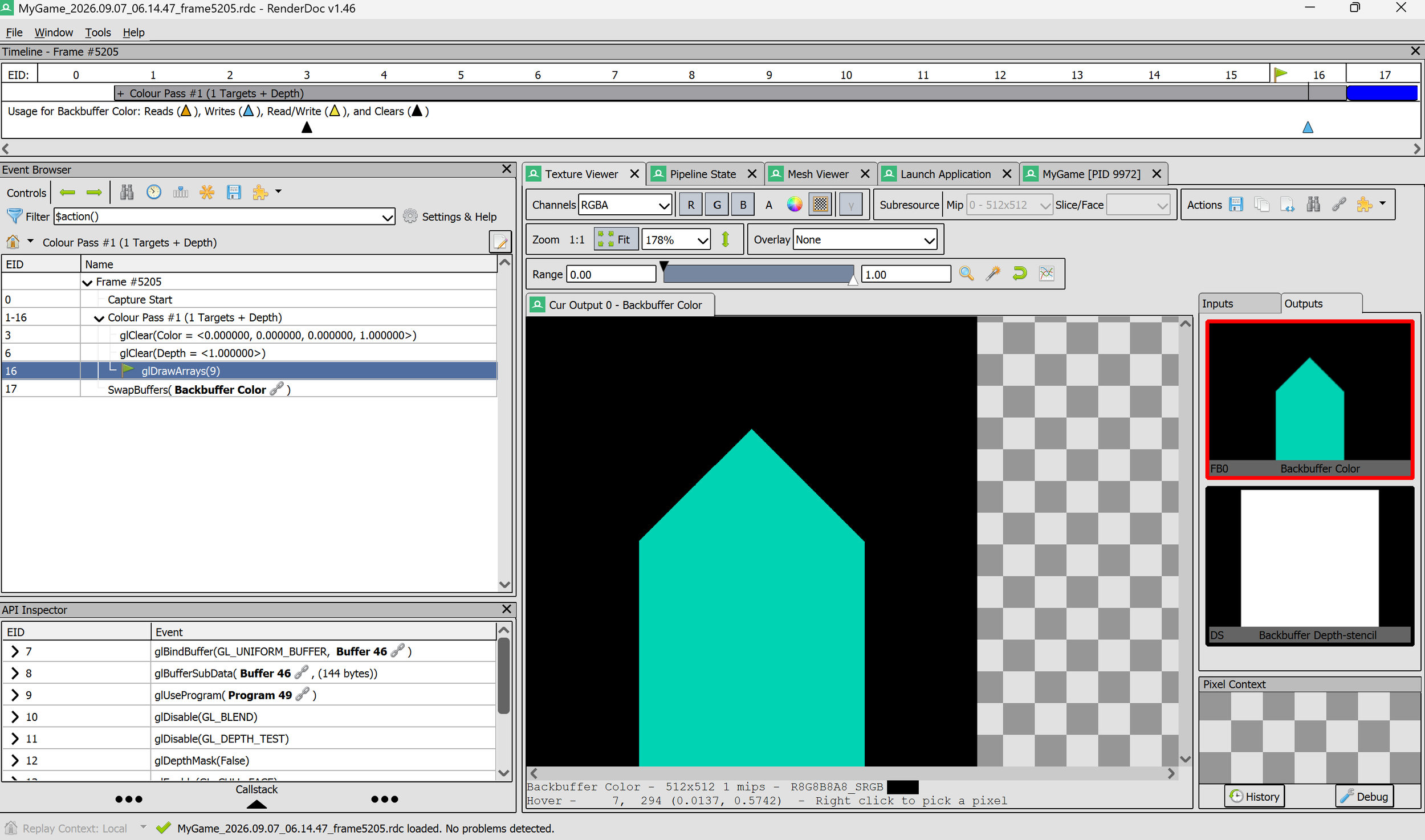
My beautiful graphics rendering what many may call a ‘house’
Abstracting Mesh Code:
When abstracting the mesh code into its own class, I started by reading through graphics.d3d.cpp and making a note of the static variables under the ‘Geometry Data’ comment. I then searched for the featured static variables in the rest of the file, copying and pasting these sections of code into a text doc under the following labels: initialization, Draw, and Cleanup. I then checked out the ‘cVertexFormat.h’ file for an example of how this engine organizes its class declarations. I created a file called ‘cMeshData.h’, and created a class similar to this structure, with three distinct functions: InitializeMesh, DrawMesh, and CleanupMesh. I then investigated the graphics.gl.cpp file in a similar fashion as the d3d file, making note of geometry-related static variables and copying their related code sections to a text doc. Comparing these two sets of code chunks, I determined that each platform largely handles geometry in very unique ways, and it was not worth trying to combine them into platform-agnostic sections. Thus, I created two new files to handle these code chunks: cMeshData.gl.cpp and cMeshData.d3d.cpp. I wrote definitions for the Initialize, Draw, and Cleanup functions in each file, knowing that only one would be included into a build at any time. I then simply went through each graphic.platform.cpp file, replacing their static variables with an instance of cMeshData, and calling the appropriate functions when needed.
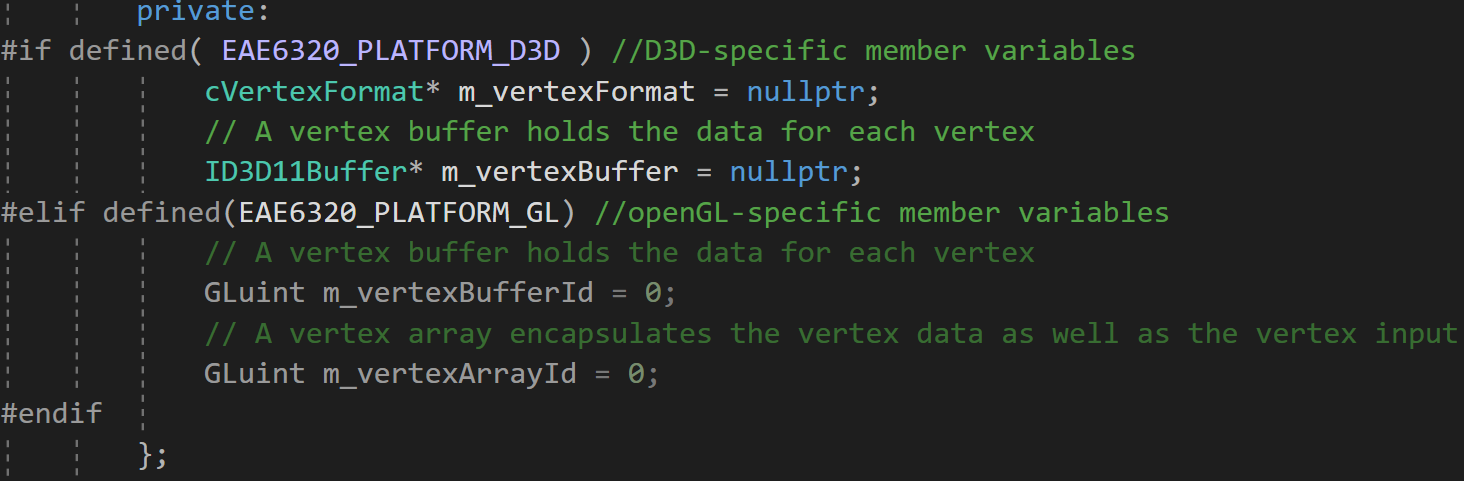
Using the preprocessor to declare platform-specific files in my mesh class
I then abstracted the effect code following a similar process. This was slightly trickier, as much of the effect code was repeated in each platform, so I wanted to consolidate these sections into platform-agnostic code. In addition to the header file (cEffect.h) and platform files (cEffect.gl.cpp and cEffect.d3d.cpp), I created another file called cEffect.cpp. This file defines the following functions: InitializeGeneric, DrawGeneric, and CleanupGeneric, which are called from the platform specific partner functions (InitializeEffect, DrawEffect, CleanupEffect).
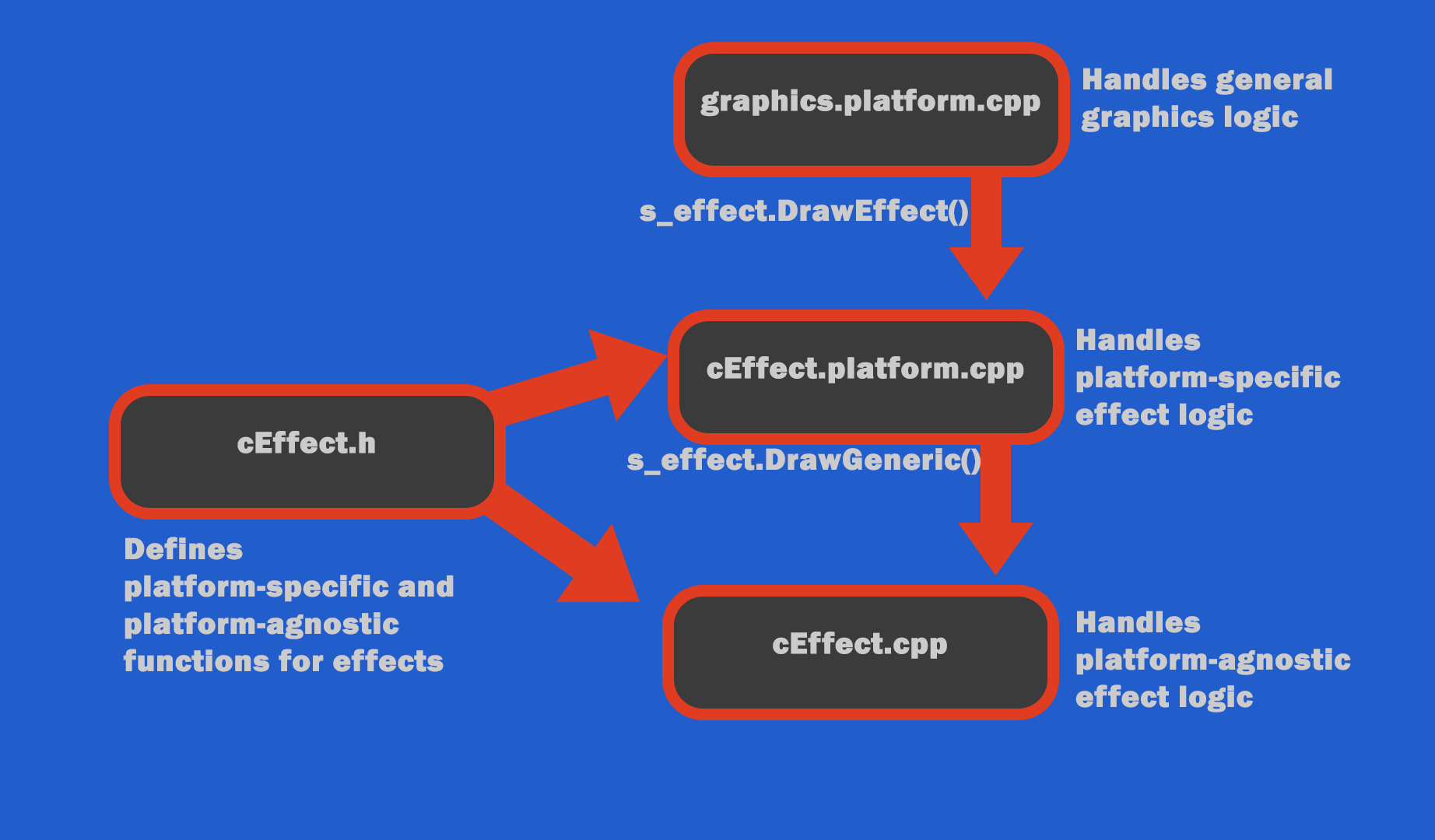
Diagram breaking down the flow of effect logic
My only challenge during this abstraction was figuring how to handle the direct3dImmediateContext variable, which needed to be accessed in the d3d-specific draw functions for both geometry and shading data. I used the preprocessor to create two definitions for the Draw functions based on platform:
void Draw(ID3D11DeviceContext*);
void Draw();
This informed why, when abstracting the effect data, I chose to have platform-specific functions call generic functions, rather than the other way around. If the generic Draw functions called platform-specific counterparts, I would need two definitions of both the generic and platform-specific functions - one that takes the d3d context variable, and one that doesn’t. By handling it in my chosen order, I was able to define the generic Draw function only once, as it did not need to pass any d3d context variables as arguments.
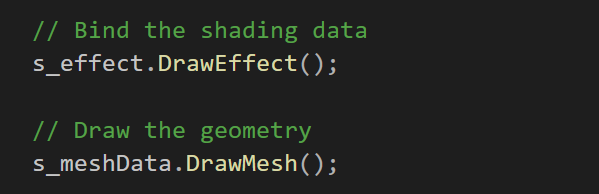
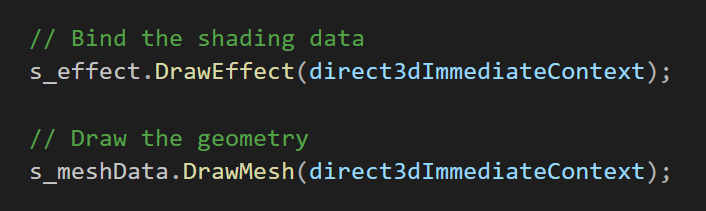
Comparing updated function calls in graphics.gl.cpp vs. graphics.d3d.cpp
Using Graphics Debuggers:
In addition to working on the engine itself, I spent a portion of my time this week exploring two different debugging tools:
Visual Studio Graphics Debugger (for Direct3D)
Render Doc (for OpenGL)
These tools allow me to run my executable, capturing and analyzing specific frames in great detail. While they aren’t neccessary at the moment, it’s important to grasp a general understanding of how they work while my code is still relatively small in scope, so that I can competently utilize them when I inevitably run into graphics-related issues later on. The below screenshots display some of the features these tools offer, such as viewing individual color codes on a rendered texture, or investigating an image at every stage of the graphics pipeline, or even viewing meshes in wifreframe mode.
Week Overview:
For this week, I began abstracting code in the graphics library of my custom game engine template, with the goal of making this code more flexible, readable, and reusable for future tasks. I started with two platform-dependent files which handle most of the graphics operations for the engine: graphics.gl.cpp, and graphics.d3d.cpp. These files were rigid in their inability to create advanced graphics operations and repeated lots of essentially identical code for different platforms.
To alleviate this, I abstracted two elements which both files handled, turning them into platform-independent interfaces: mesh/geometry drawing, and effect/shader implementation. Doing so allowed each graphics.cpp file to remain more focused on handling general graphics operations, while the specific initialization, drawing, and cleanup of both meshes and effects could be expanded and specified in unique files. This week helped me learn several key lessons around engine design:
Separating Platform-Specific and Platform-Agnostic Code
Understanding graphics debugging tools for later assignments
Creating Usable Interfaces From Complex Code
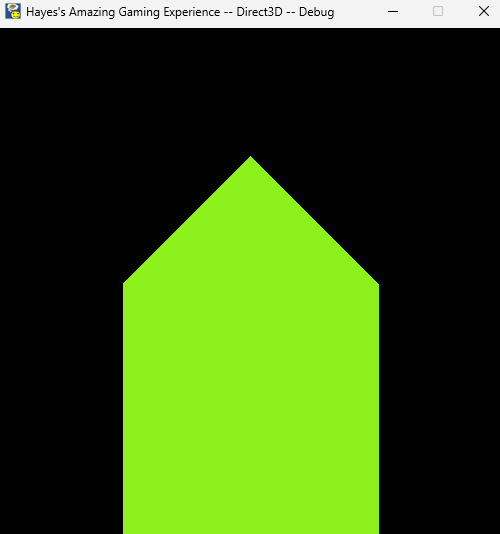
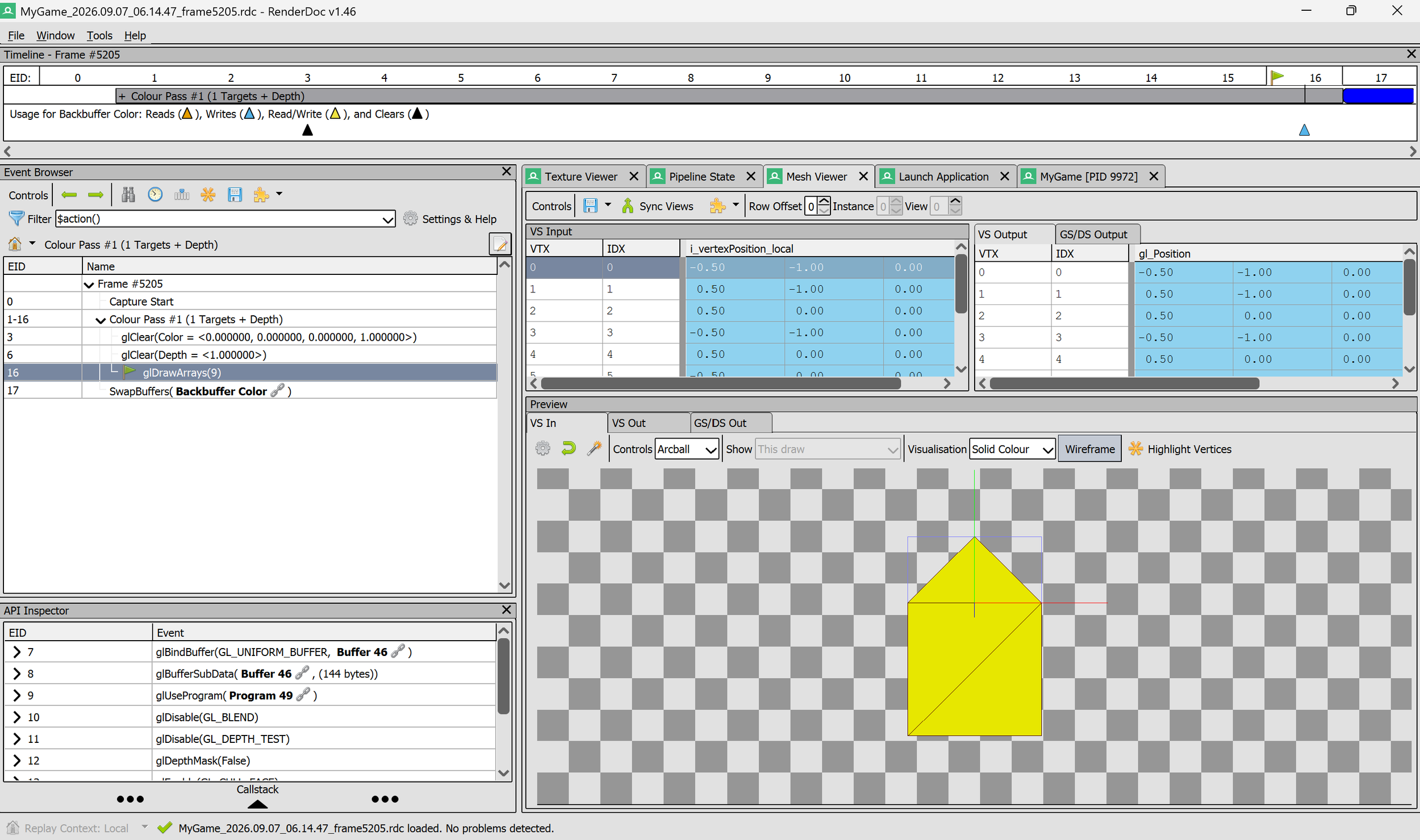
Analyzing a captured openGL frame in Render Doc
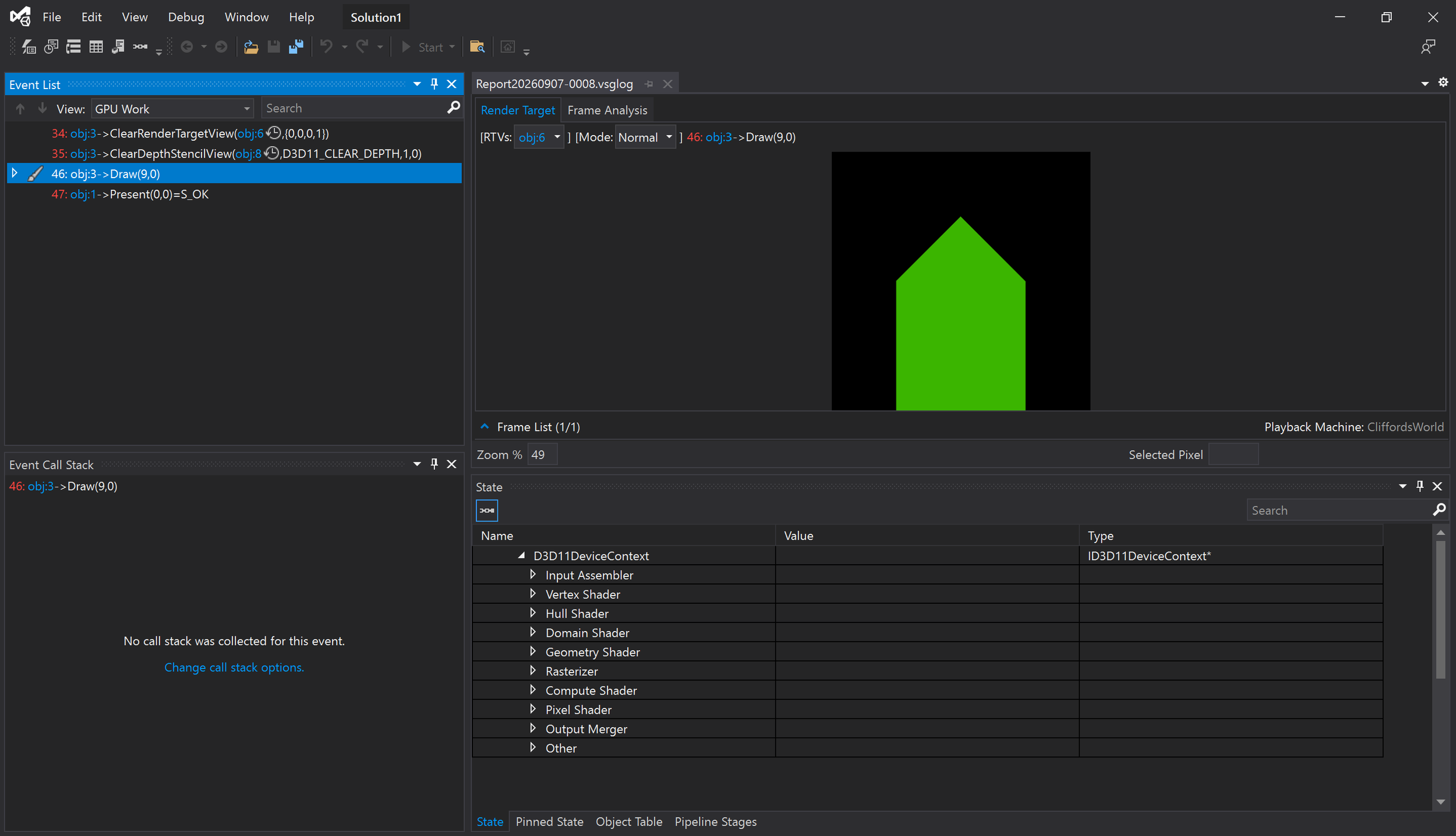
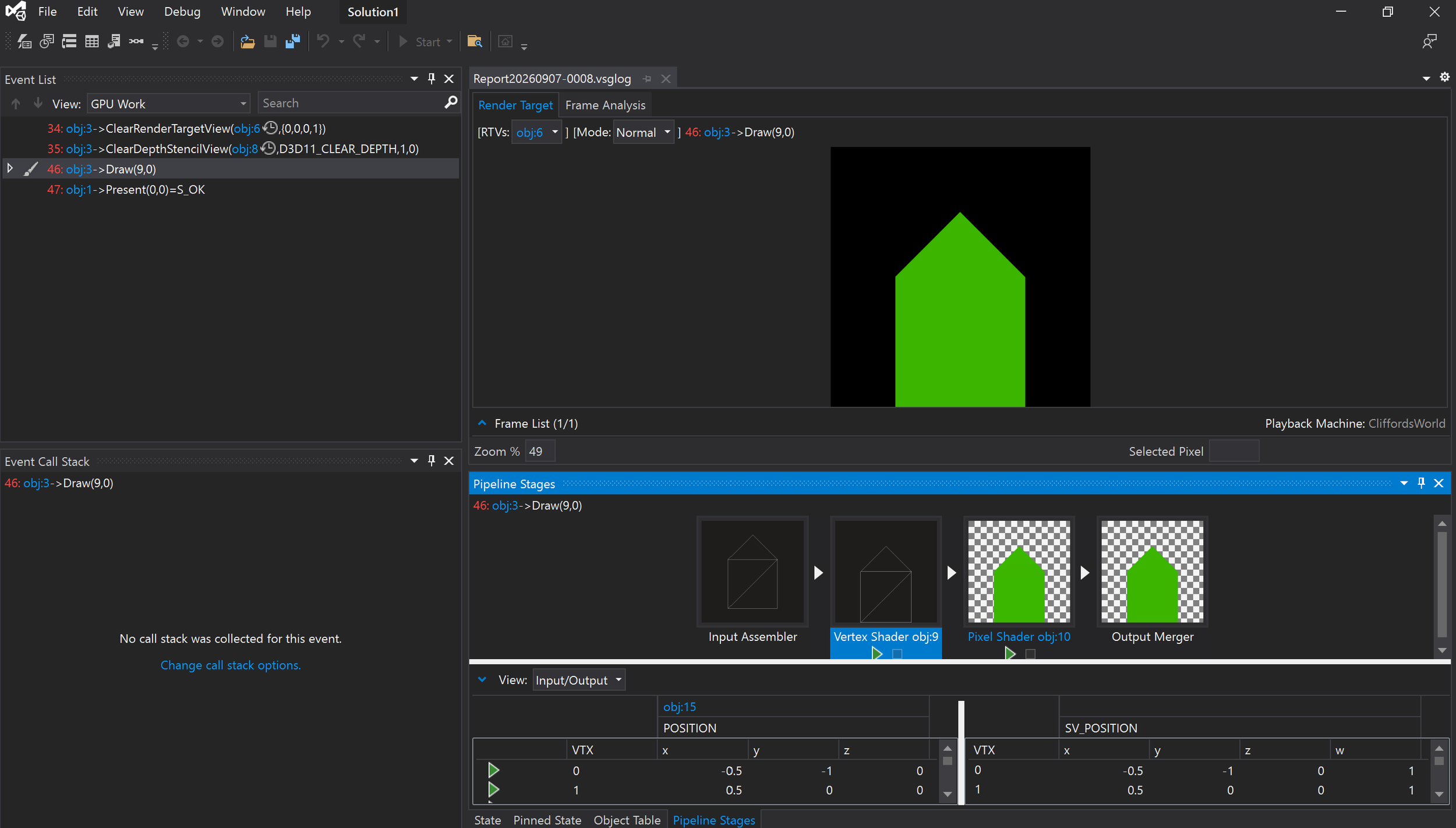
Analyzing a captured D3D frame in Visual Studio Graphics Debugger